

Table of Contents
Your Online Therapy Portal at Freedom Within Center
Welcome to your secure online therapy portal at Freedom Within Center—the digital gateway to trauma-informed, compassionate mental health care. Manage appointments, message your clinician, and join telehealth sessions from anywhere in California.
Our platform meets the telebehavioral health standards of the Substance Abuse and Mental Health Services Administration (SAMHSA), providing a truly secure client portal for mental health that protects your privacy. Through the portal, you can easily schedule online counseling services in San Diego and connect with your clinician. We offer individual, couples, family, and trauma-informed therapy—with specialized support for veterans, military families, and perinatal clients. Our multidisciplinary team includes licensed therapists, dietitians, and EMDR-trained clinicians, and we are in-network with Tricare/TriWest, Aetna, and Cigna.
Ready to begin? Book An Appointment today and let us walk with you Along Your Journey Towards Achieving Freedom Within. Discover how our secure portal makes therapy accessible from anywhere—keep reading. (The portal is a tool to support your journey; always consult a qualified professional for personal medical decisions.)
Preparing to Access Your Online Therapy Portal
Before your first session with Freedom Within, it’s essential to set up your access to our online therapy portal. Our secure client portal for mental health services is HIPAA-compliant and grounded in SAMHSA telehealth best practices, ensuring your sessions remain confidential. All data is protected with end-to-end encryption, so you can feel safe sharing personal health information. Through the portal, you can complete intake forms, schedule appointments, message your provider, and join video calls. Getting started is straightforward—just create your account and you’ll have immediate access.
- Ensure your device has a working camera, microphone, and an internet connection of at least 5 Mbps.
- Complete your intake paperwork and consent forms through the portal before your appointment.
- Test your camera and microphone in advance to avoid connection issues during your session. We recommend doing this at least 15 minutes before your scheduled time to troubleshoot any problems.
- For the best experience, close bandwidth-heavy programs and find a quiet, private space.
- Your online therapy portal also serves as your hub for scheduling, secure messaging, and joining video calls.
If you run into any issues, our support team is happy to assist. Reach out via the portal’s message feature and we’ll help you get connected.
Accessing the Portal and Logging In
Our online therapy portal provides a secure gateway to your virtual sessions. Once you’re ready to begin, follow these steps to access your secure client portal mental health platform.
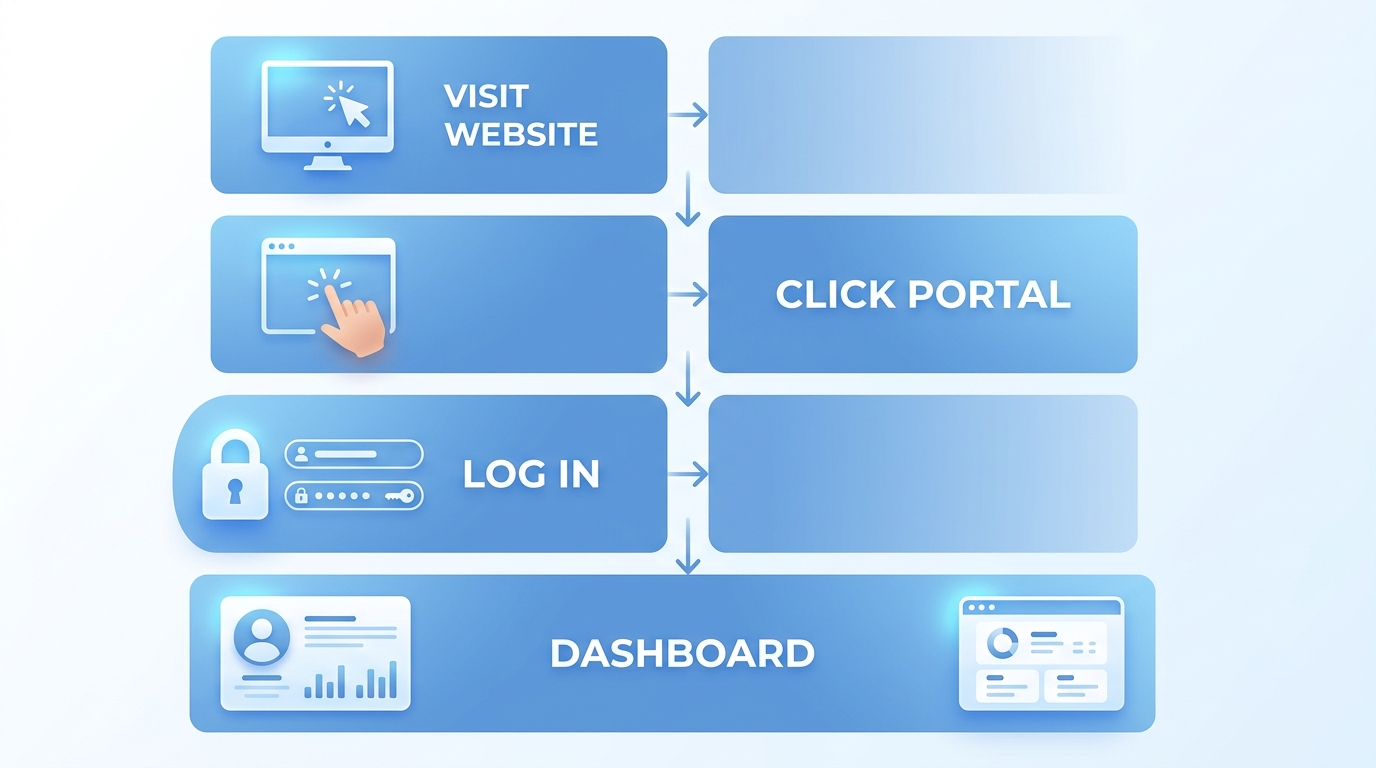
How to access the client portal at Freedom Within Center
- Visit our website and click the “Client Portal” link in the header or footer.
- First-time users: Create an account using your registered email and a password of your choice.
- Returning users: Log in with your email and password. Your dashboard will show upcoming sessions.
- Forgot your password? Click “Forgot Password?” to receive a reset link via email.
Access the portal from any desktop, tablet, or smartphone using the latest browser. Never share your login and log out after each session, especially on shared devices. Your data is protected by HIPAA-compliant encryption. For crisis support, dial 988 instead of relying on the portal. After logging in, you can schedule online therapy sessions in San Diego directly from your dashboard. For detailed portal instructions, visit our online counseling pages.
Scheduling Your Telehealth Appointments
Now that you’ve chosen your therapist, scheduling your first telehealth session is easy using our online therapy portal. Start by logging into your secure client portal for mental health appointments — the same portal you use for intake forms. Browse available time slots with any of our San Diego clinicians. Select the therapist who best matches your needs, choose a day and time that fits your schedule, and confirm the booking. Just like a LifeStance patient portal, our system sends you a confirmation email with your unique telehealth link within minutes.
If you need to reschedule or cancel, log back into our online therapy portal and make changes. We ask for at least 24 hours’ notice to free up the slot for other clients. All virtual sessions use a HIPAA-compliant video platform — no download needed. Join a few minutes early to test your camera and microphone. The portal is available 24/7 to manage your appointments.
We’re here to support you every step of the way. Along Your Journey Towards Achieving Freedom Within, we look forward to working with you.
Completing Intake Paperwork Through the Portal
Once you’ve scheduled your appointment, the next step is to complete your intake paperwork through our online therapy portal. This convenient system lets you securely fill out all required forms from the comfort of home, saving you time before your first telehealth session.
To begin, you’ll access the portal via the link in your confirmation email or on our website. You’ll log into our secure portal mental health using the email address you provided when scheduling and a temporary password you create during your initial setup. The intake packet includes a personal information form, treatment consent, release of information if applicable, telehealth consent, and privacy acknowledgment. All transmissions are encrypted and the portal allows you to save your progress and return later if you need to pause.
We recommend setting aside 15–20 minutes to complete the paperwork accurately. Finishing ahead of time means your first session focuses on what matters most — your therapy — without administrative delays. With your forms done, you’re ready for a smooth first session. Please note, no information on this website is a substitute for professional medical advice.
Managing Billing and Payments
Once you have your secure client account, managing billing is simple and transparent through our online therapy portal. You can view invoices, make secure payments, track your billing history, and download statements in one convenient location. You can also set up automatic payments to stay on schedule.
Our center accepts insurance plans including Tricare/TriWest, Aetna, and Cigna. Because out-of-pocket costs vary by plan, we encourage you to verify your benefits before your first session. The portal is HIPAA-compliant, and as a secure client portal for mental health, it keeps your payment information safe. We accept major credit cards, HSA cards, and FSA payments directly through the portal’s encrypted payment gateway. If you have questions about your coverage or a bill, our team is happy to help.
We’re committed to transparent pricing — our goal is to make billing a seamless part of your journey towards achieving freedom within.
Using Secure Messaging with Your Therapist
Once you’ve logged in, you can take your online care one step further by using our secure messaging feature within the online therapy portal. Our secure client portal mental health tool uses end-to-end encryption and meets HIPAA-compliance standards so your conversations stay private. Per Substance Abuse and Mental Health Services Administration (SAMHSA) telehealth guidelines, secure communication platforms are essential to modern care, and we’ve built that protection right into your experience.
This messaging feature is perfect for quick check-ins or non-urgent questions between sessions. It integrates seamlessly with your telehealth visits—the same portal also hosts your virtual therapy appointments. Please remember that secure messaging is not for emergencies. If you need immediate help, call your therapist directly or dial 988.
To send a message, log in to the patient portal, navigate to the messaging feature, and type your note. Your therapist will reply when they can.
Joining a Virtual Therapy Session
Once your appointment is confirmed, joining your virtual session is simple. Log into your online therapy portal through our secure client portal mental health platform at your scheduled time. Our HIPAA-compliant system protects your privacy and ensures confidentiality.
Here’s how:
- Check your internet connection and find a quiet, private space where you won’t be interrupted.
- Locate your login credentials — these were sent to you via email after booking.
- Go to our client portal using any modern browser; no software download is needed.
- Test your audio and video before entering the session.
- Click to join the virtual waiting room and your therapist will admit you promptly.
If you experience a connection hiccup, stay calm — it happens. Reach out to us at 619-363-1920 or help@freedomwithincenter.com, and we’ll help you troubleshoot or reschedule your session if necessary.
Once you’re in the virtual room, your therapist will greet you shortly. Please remember that online therapy is not for emergencies. If you are in crisis, call 988.
Exploring Other Portal Features
After familiarizing yourself with starting a telehealth session, you’ll want to make the most of our online therapy portal. Log in to your secure client portal using our website or the Freedom Within Center app to handle your mental health care needs from virtually anywhere. We understand that managing therapy alongside a busy life can be challenging, so our portal is intuitive and accessible from any device. Once inside, you can view upcoming appointments, review session history, and check appointment details at a glance. Need to connect with your therapist between sessions? Send them a private, secure message directly through the portal. The portal also stores your billing records, invoices, and payment history for easy reference. When it’s time for your next telehealth visit, launch the video session with a single click right from the platform. Before your first appointment, complete intake paperwork digitally to save time and reduce stress. Everything is designed to keep your journey toward freedom simple and secure. We look forward to walking with you every step of the way.
Resolving Common Portal Issues
Accessing care in our online therapy portal is simple, but occasional technical hiccups can arise. Here are steps to resolve the most common issues and get you back to your session quickly.
Common Login Issues
- If you’ve forgotten your password, click the “Forgot Password” link on the login screen and follow the instructions. If the reset email doesn’t arrive within a few minutes, check your spam folder. For further help, email help@freedomwithincenter.com or call 619-363-1920.
Audio and Video Setup
- Before your session, test your microphone and camera. Open your browser settings to confirm that permissions for camera and microphone are enabled—look for the pop-up at the top of your screen. Also check your device’s system settings to make sure the browser is allowed. If everything is permitted but you still have no video, restarting your computer may clear any temporary glitches.
Browser and Connectivity
We recommend using the latest versions of Google Chrome, Mozilla Firefox, or Apple Safari. If the portal fails to load or acts sluggish, clearing your browser’s cache and cookies often refreshes the session. For video sessions, the Substance Abuse and Mental Health Services Administration (SAMHSA) suggests a download speed of at least 10 Mbps for a stable connection. Although a strong connection helps, we cannot guarantee uninterrupted service because factors like your local network congestion are beyond our control.
Need More Help?
Our support team is happy to assist with any portal issues. Reach us by phone at 619-363-1920 or email help@freedomwithincenter.com. Our secure client portal for mental health services is designed to protect your privacy while connecting you with your therapist.
If you are in crisis, please call 988.
Making the Most of Your Online Therapy Portal
Your online therapy portal simplifies every step of your care, bringing secure scheduling and communication directly to any device.
Beyond scheduling, your online therapy portal serves as a secure client portal mental health platform, keeping you connected to our multidisciplinary team—including specialists in veteran and military support, perinatal care, and nutrition counseling. It aligns with best practices, including the SAMHSA telehealth framework for confidential, HIPAA-compliant delivery, and lets you message your clinician, complete intake forms, or attend sessions from anywhere in California. Every session is grounded in trauma-informed, EMDR-informed care, and the portal puts that expertise at your fingertips. We accept many major insurance plans, and our team can verify your benefits so you can focus on your care.
Ready to begin? Simply select “Book An Appointment” in the portal or on our website to schedule your first session. Our team is here to match you with a clinician who fits your style, budget, and needs. Along Your Journey Towards Achieving Freedom Within. We look forward to working with you…
This article was researched and written with the assistance of AI tools.
Resources
- Access Secure Online Counseling for San Diego
- Get Convenient Online Therapy for San Diego
- Access HIPAA-Compliant Online Counseling in San Diego
- Get Flexible HIPAA-Compliant Online Therapy
- Discover Holistic Trauma Therapy in San Diego 92110
- Find Top Therapists for Stress in San Diego
- Get Integrated Eating Disorder Support in San Diego
- Explore SAMHSA Telehealth Resources and Guidelines